


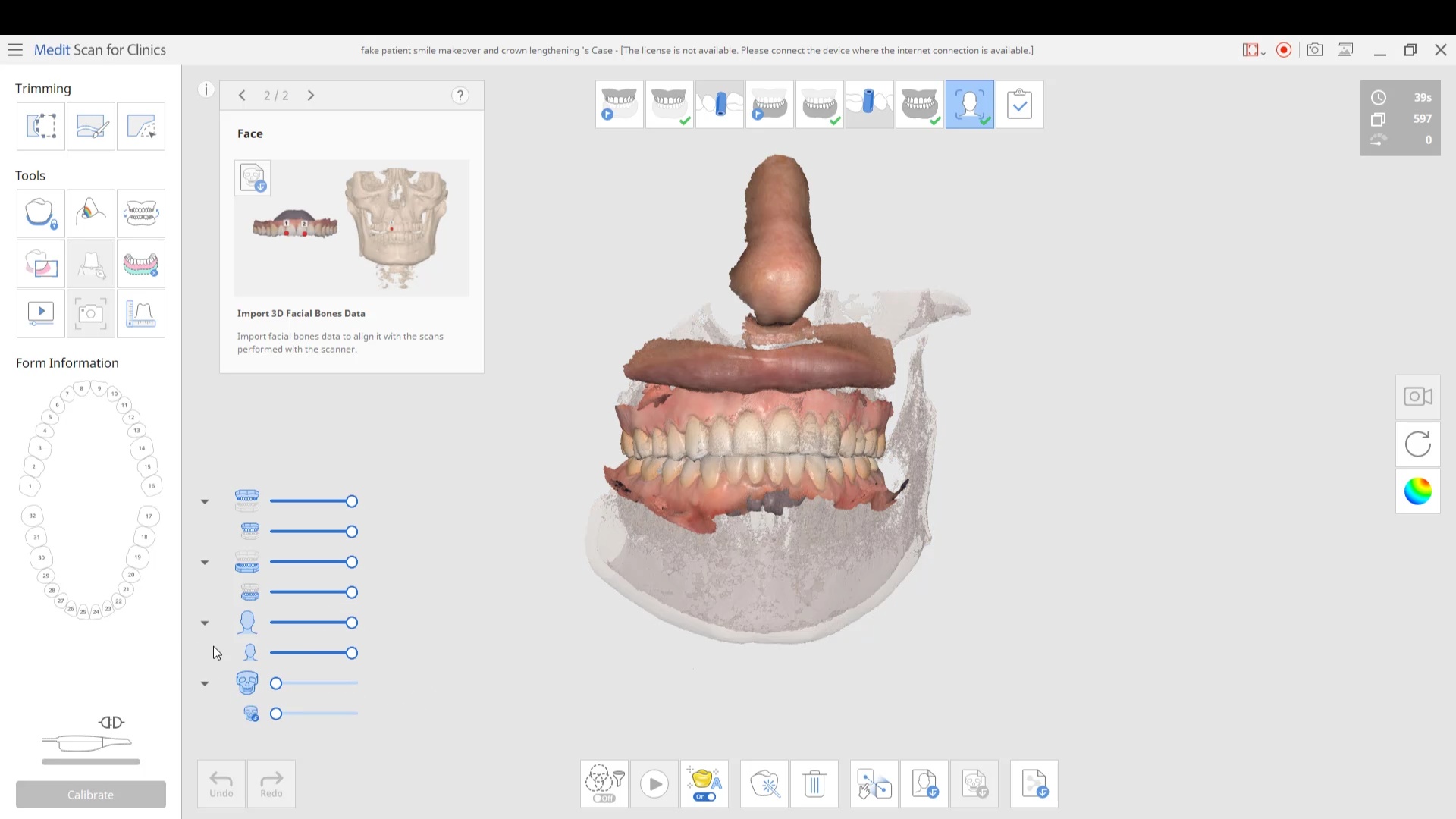
in this case we import multiple models, videos, CT scans, and Face Scans so that our users can utilize all of these features. Click here to enter the member’s section to download the whole case and design along
 Anita Madhav
 Dixie Jernigan
 Matt McReynolds
 Collin Kwasnik
 Faisal Mir
 Steven Acker
 A Palmer
 Eric Reum
 Scot Bruce
 Michael Conte
 George W
 Marc Prince
 Cole Smith
 Angelique Freking
 jeremiah choi
 Alexandra Lentz
 Tiffany Lee
 Ma. Teresa Santana
 DERYCK PHAM
 Jordan Bower
 best customer service on the planet. very easy to use. and always fine tuning to make the user experience better. - 6/16/2020

 Kristian Dietz
 Ryan Crain
 michael kim
 Mike Holt
 Yu Gan
 Amber Thomas
 SCOTT MEUSELBACH
 Brenden Rogers
When I decided to purchase a digital scanner I decided on user experience. They have provided the best experience I could have asked for, from online support, Facebook support, and in person courses. There is no better team to buy Medit from period... read moreWhen I decided to purchase a digital scanner I decided on user experience. They have provided the best experience I could have asked for, from online support, Facebook support, and in person courses. There is no better team to buy Medit from period. Do yourself a favor and buy from them if you are in the market for an intraoral scanner. read less - 6/16/2020
Love my Medit! Can’t beat the quality, and the price is even better! Also, great people who are always willing to help! - 6/16/2020
Brenden Rogers
When I decided to purchase a digital scanner I decided on user experience. They have provided the best experience I could have asked for, from online support, Facebook support, and in person courses. There is no better team to buy Medit from period... read moreWhen I decided to purchase a digital scanner I decided on user experience. They have provided the best experience I could have asked for, from online support, Facebook support, and in person courses. There is no better team to buy Medit from period. Do yourself a favor and buy from them if you are in the market for an intraoral scanner. read less - 6/16/2020
Love my Medit! Can’t beat the quality, and the price is even better! Also, great people who are always willing to help! - 6/16/2020
 Tony Cascino
 Aaron - Cooleysmiles
 Island Dental Lab
 Gregory Camfield
 Laveen Smiles
 Johnny Vredenburg III
 David Jump
 Susan Latimer
Bought a medit 6 months ago and customer service has been nothing short of amazing. Always very responsive and helpful. Great scanner, too! - 6/16/2020
Susan Latimer
Bought a medit 6 months ago and customer service has been nothing short of amazing. Always very responsive and helpful. Great scanner, too! - 6/16/2020
 Mathew Rosinsky
 Stephanie O'Rourke
 Value Dental
 Dwayne Bodie
 Anthony Vu
 Oleg Eisenstein
Our office has been using the Medit scanner for a few months now and are loving it! CAD-Ray was super easy to work with in purchasing the scanner and providing support as needed. Their Facebook forum with the updates and video tutorials are incredibl... read moreOur office has been using the Medit scanner for a few months now and are loving it! CAD-Ray was super easy to work with in purchasing the scanner and providing support as needed. Their Facebook forum with the updates and video tutorials are incredibly helpful. read less - 6/16/2020
Oleg Eisenstein
Our office has been using the Medit scanner for a few months now and are loving it! CAD-Ray was super easy to work with in purchasing the scanner and providing support as needed. Their Facebook forum with the updates and video tutorials are incredibl... read moreOur office has been using the Medit scanner for a few months now and are loving it! CAD-Ray was super easy to work with in purchasing the scanner and providing support as needed. Their Facebook forum with the updates and video tutorials are incredibly helpful. read less - 6/16/2020
 Dong Lim
 Jeff Muszynski
 Evelyn Chan
in this case we import multiple models, videos, CT scans, and Face Scans so that our users can utilize all of these features. Click here to enter the member’s section to download the whole case and design along

You will need 3 models to utilize all the features of the Medit Face Scan
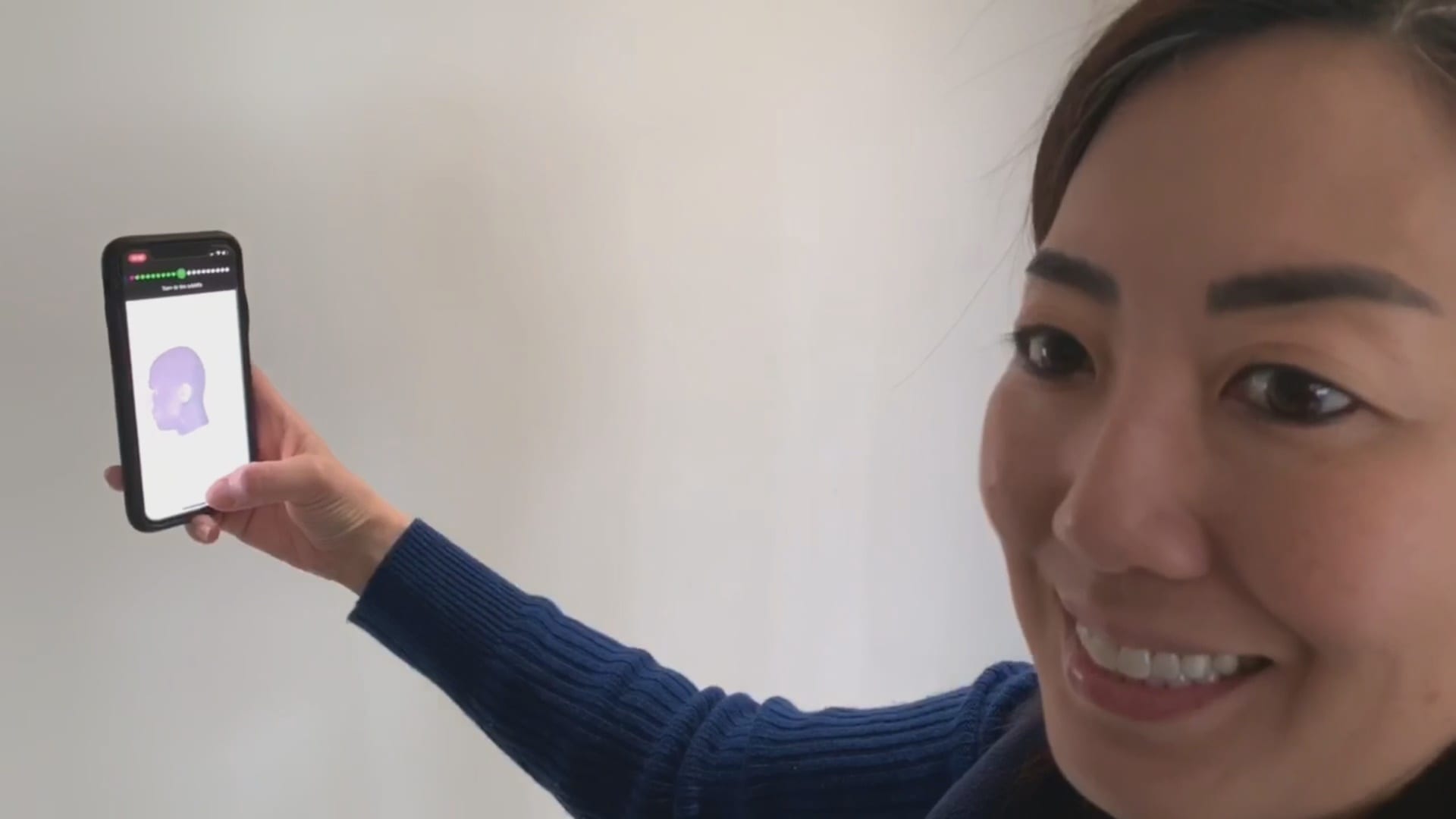
This video demonstrates how the Bellus3D software works. Once the images are captured, a 3D model is rendered and it can then be exported into any CAD software including the Medit iScan Program
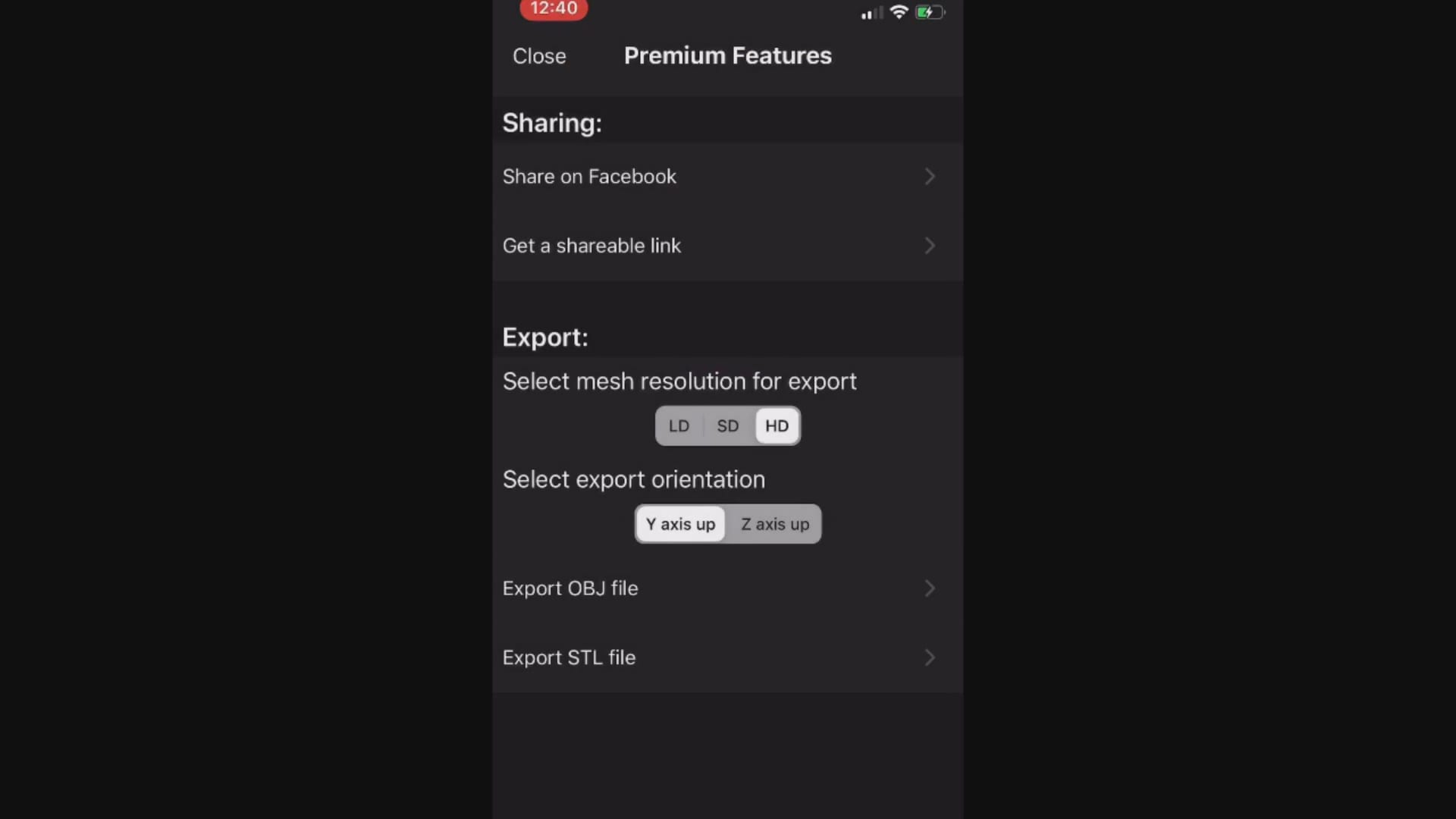
When you export the model, make sure that all the pertinent files accompany the folder, otherwise texture or color do not accompany the meshwork

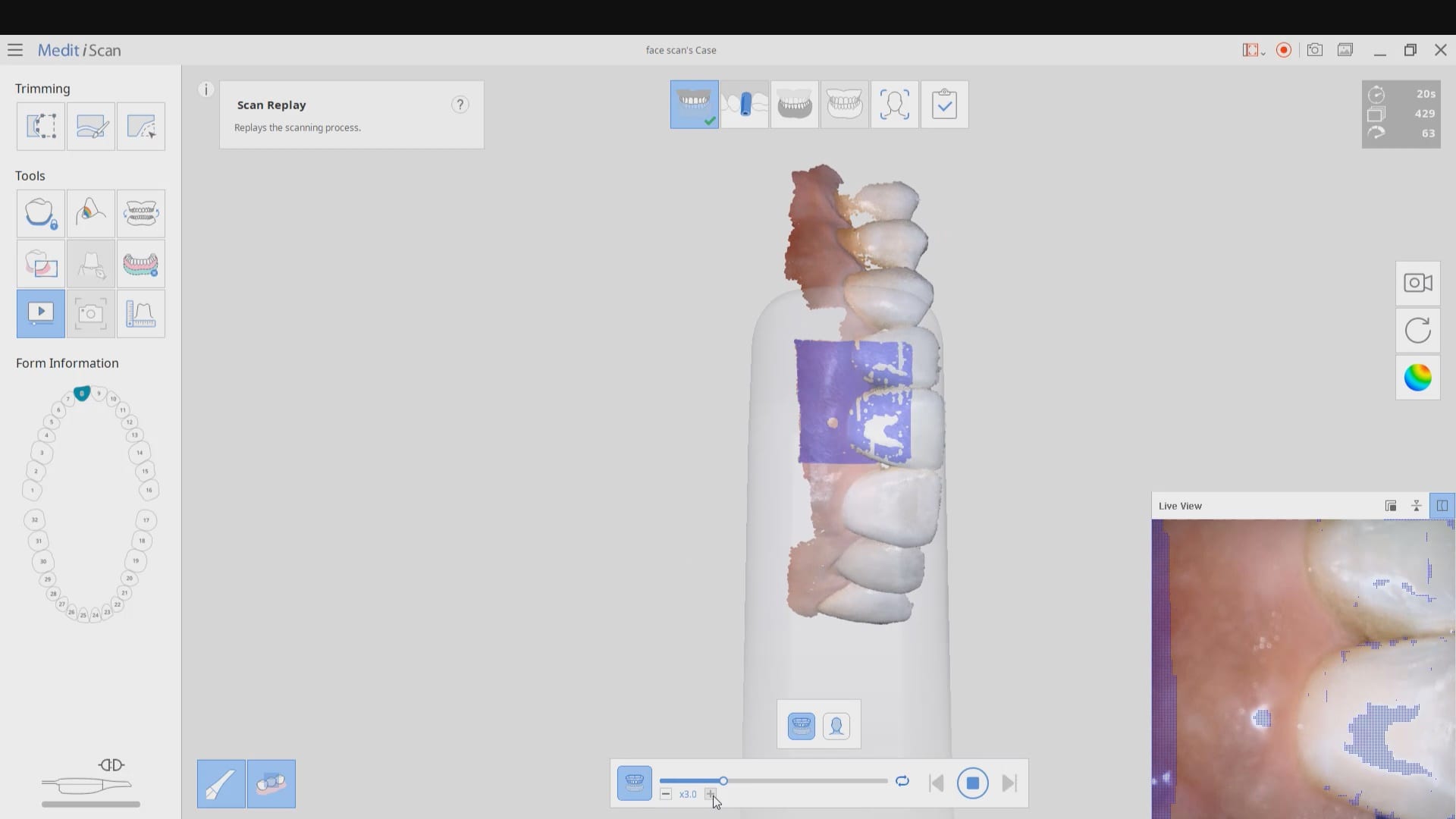
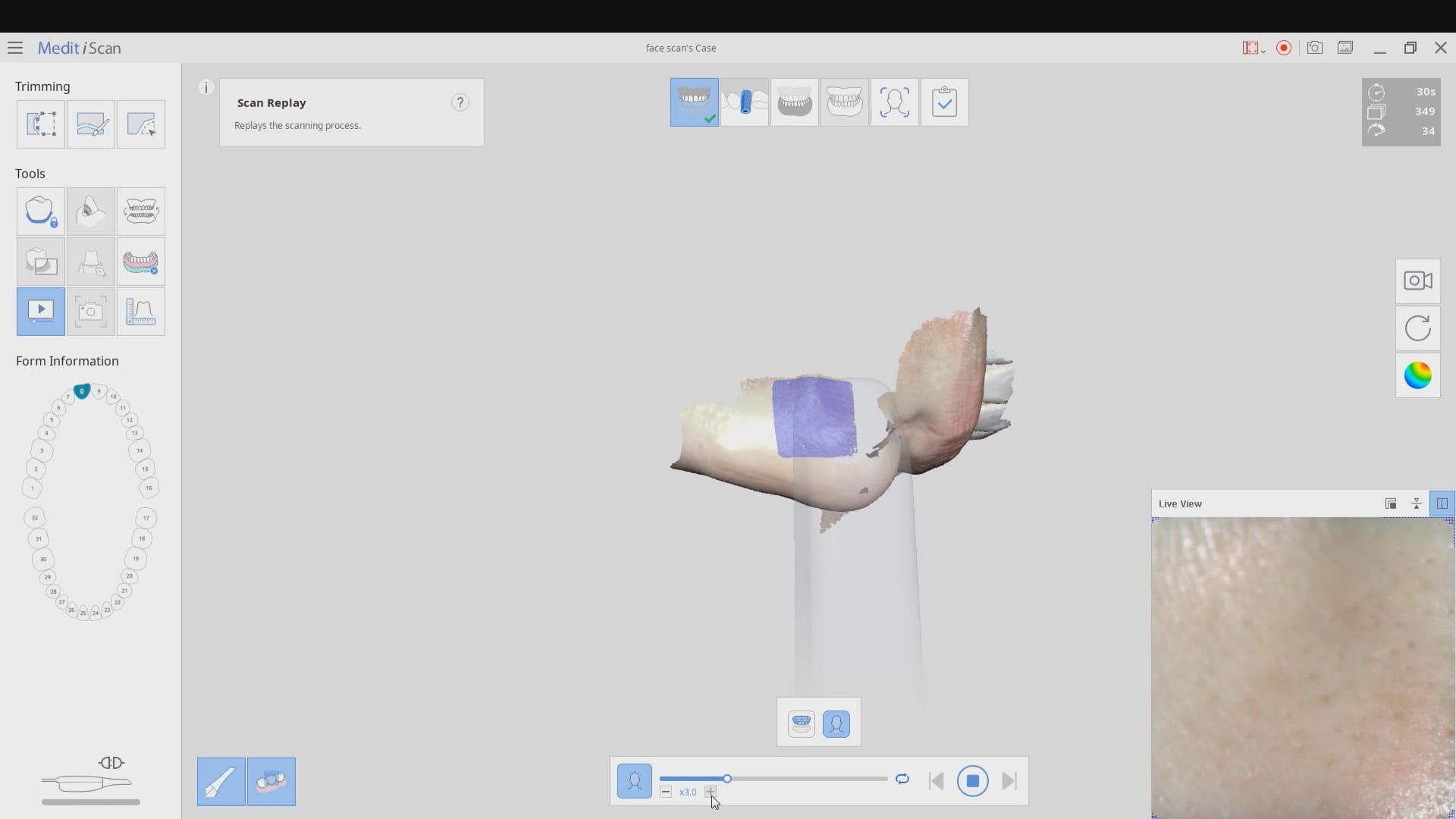
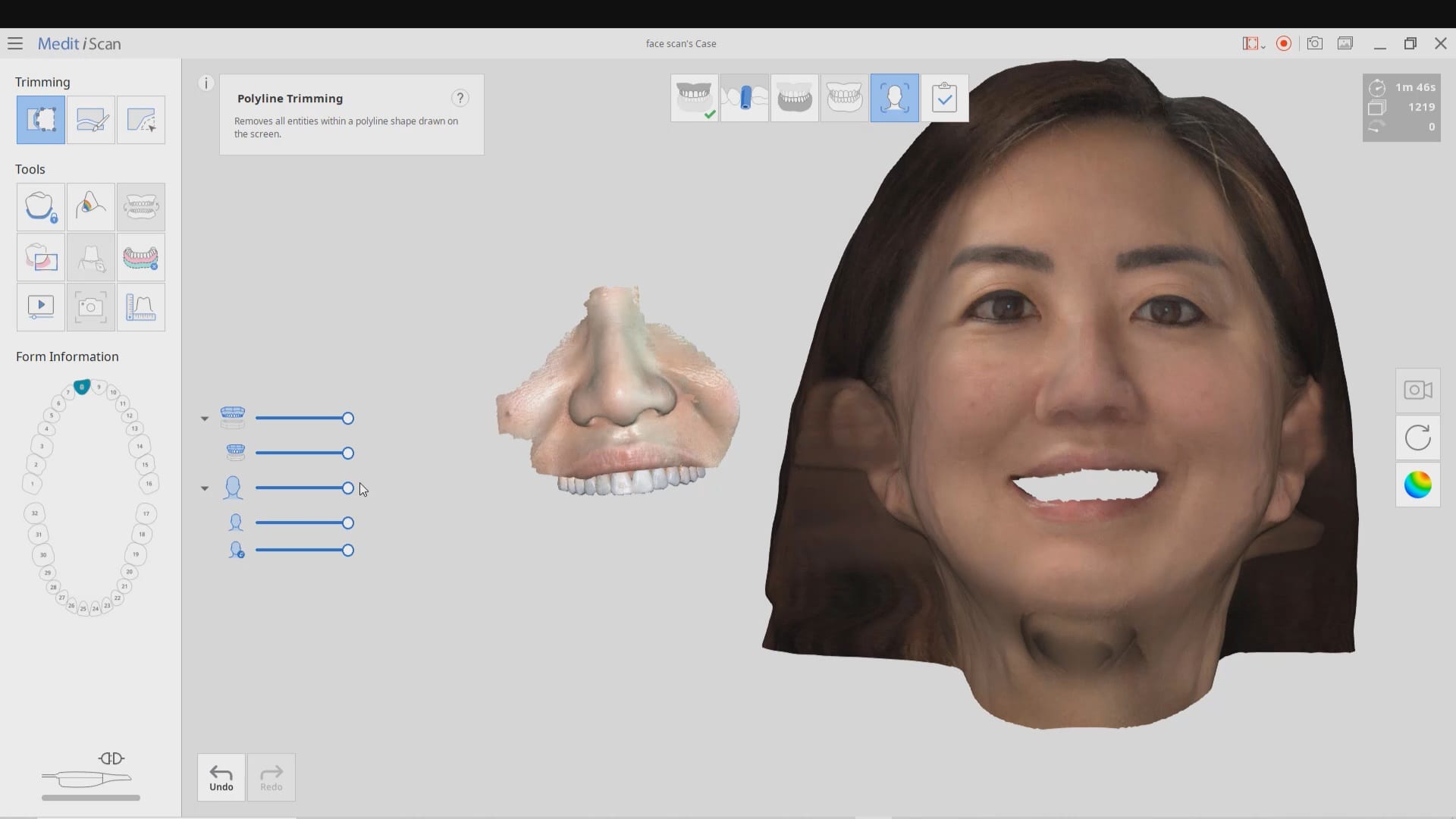
The following videos demonstrate how to capture the scan of the teeth, the scan of the teeth and lips, and then the incorporation of the facescan into the equation. Notice how the facescan with the iPhone distorts teeth and can’t be relied upon to find the midline or address other cosmetic issues.
8400 West Sunset Road
Suite #300
Las Vegas, Nevada 89113
Sales:
(833) CADRAY1
(833) 223-7291
Email: Sales@CAD-Ray.com
Sales:
(833) CADRAY2
(833) 223-7292
Email: Support@CAD-Ray.com



You must be logged in to post a comment.